

Leads Division Playbook
Scripts

MUST READ: How To Use The Lead Back Office
#1 Register and Configure Backend
Configure your account with these settings:
Enable Exclusive Leads Only
Do not change any of the Lead Quantity Limits
Enable Saturday and Sunday, leaving the times as 12:00 AM and 11:59 PM
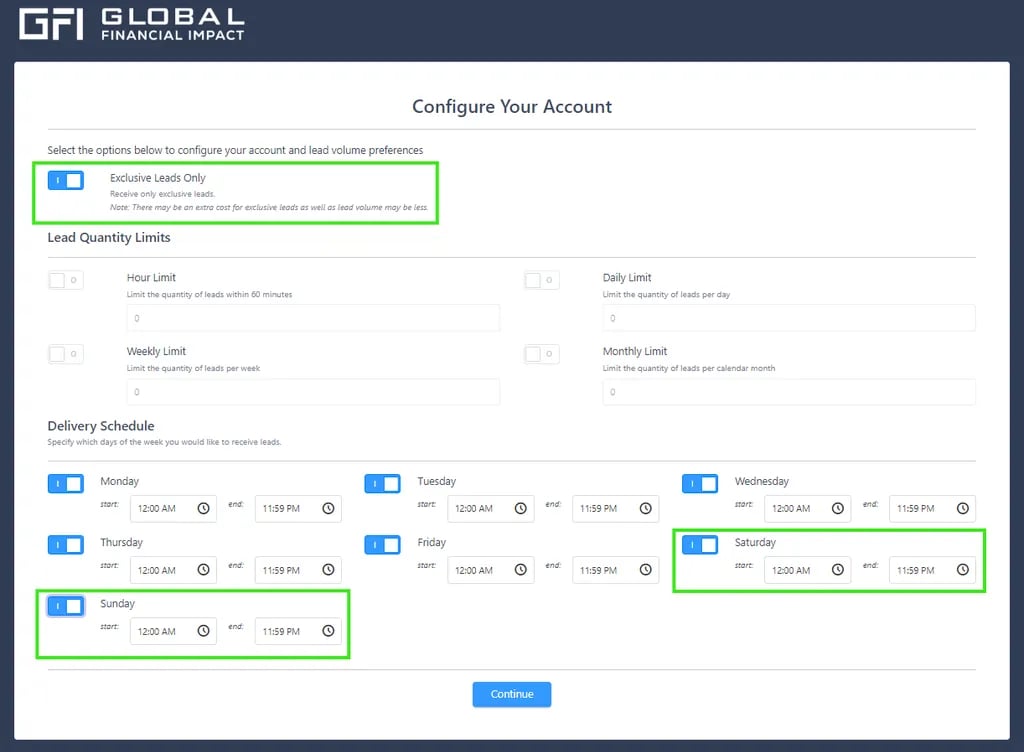
Congratulations! Your account is now set up.
#2 Set Up a Payment Method:
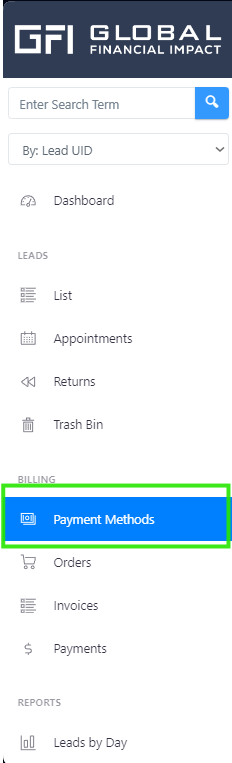
Add a Payment Method to easily pay for Orders and Leads:
Go to the Payment Methods section on the main page
Creating Orders:
Add your Orders based on your needs:
Go to the Orders section on the main page.
Click the + New button in the top-left corner. You’ll see a list of Order Forms showing details such as the Lead Type, price per Lead, and delivery method.
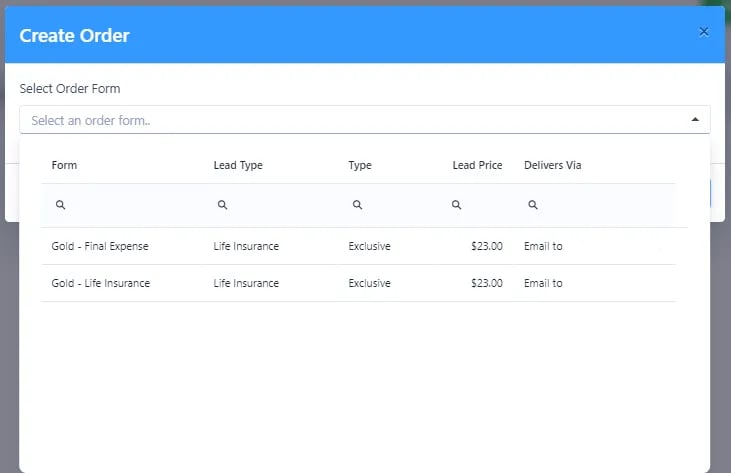
Select the form that fits your needs and proceed with your order.
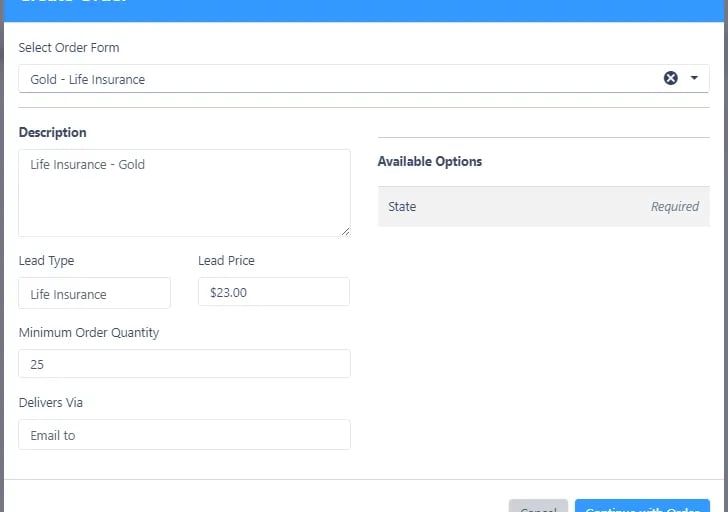
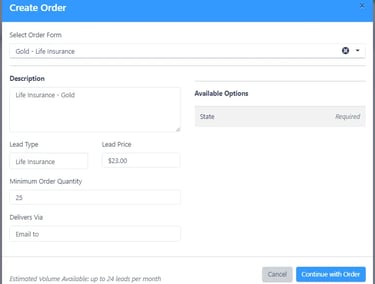
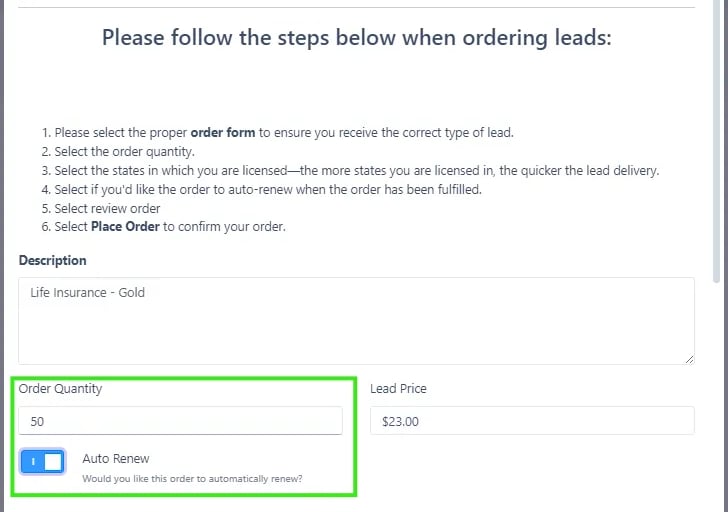
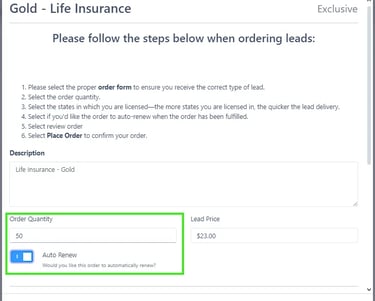
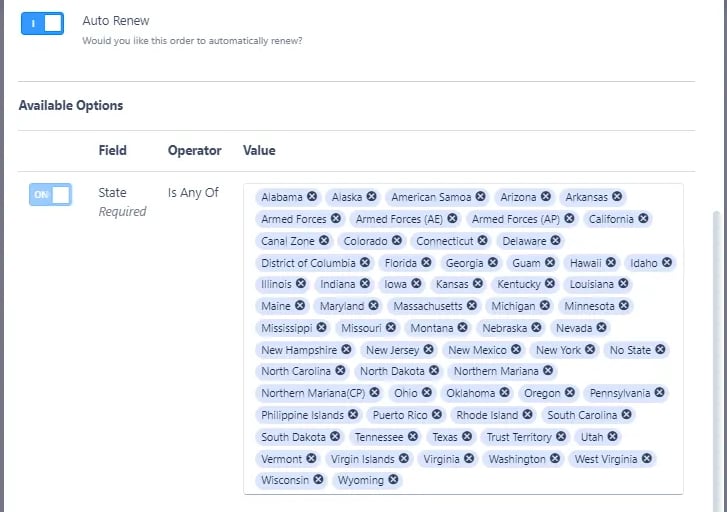
Adjust the number of leads you'd like to purchase (note that you cannot order below the minimum quantity) and choose the States from which you want to receive leads.
Select States
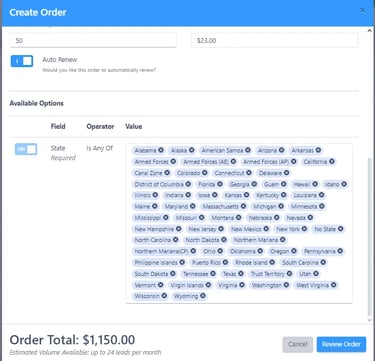
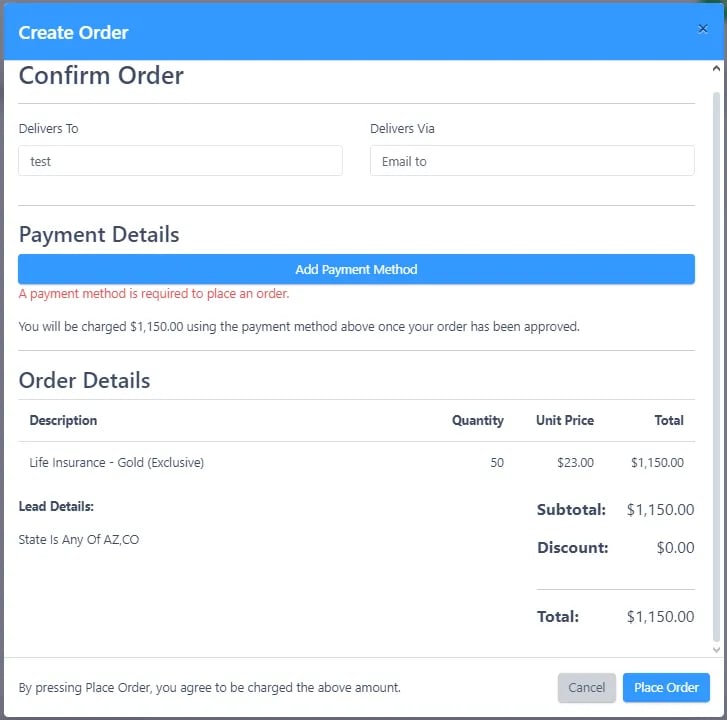
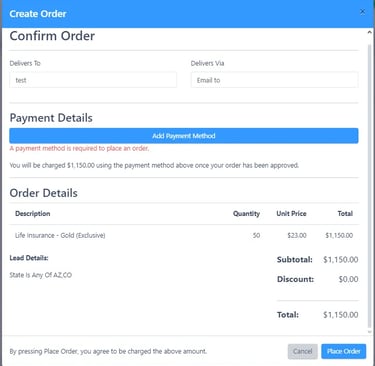
Review your order and complete checkout.
Create Appointments
Create Appointments to manage your Leads easily:
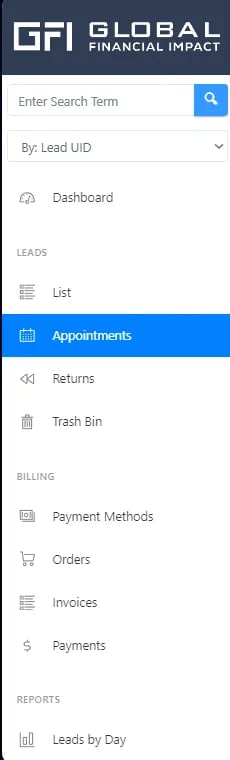
Go to the Appointments section on the main page.
Click the + Create Appointment button in the top-left corner.
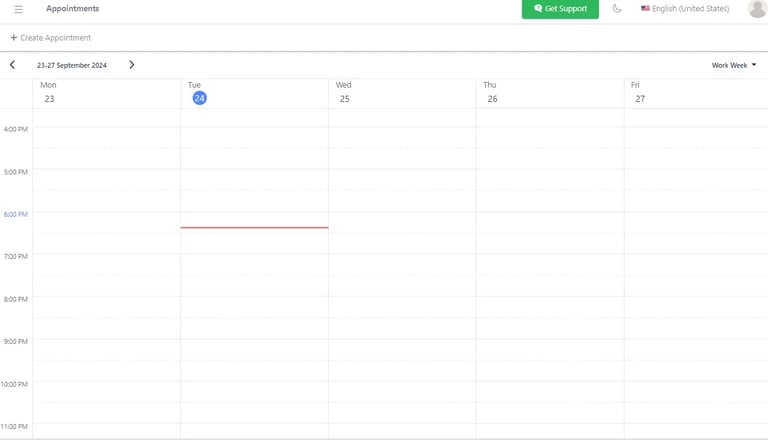
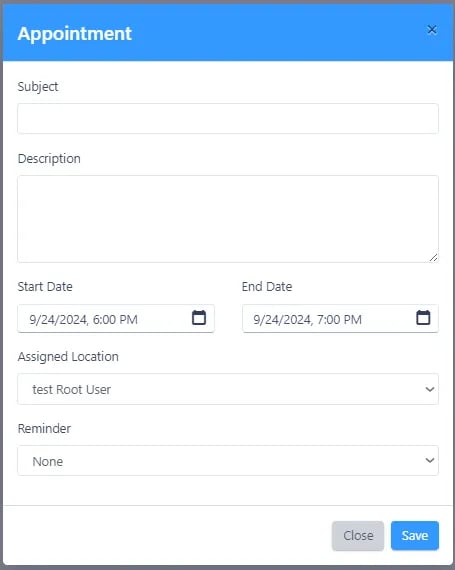
A prompt will appear where you can:
Enter a name and description for your appointment.
Set the start and end dates/times.
Choose a location.
Set a reminder.
Viewing Leads
Visualize and Manage Leads:
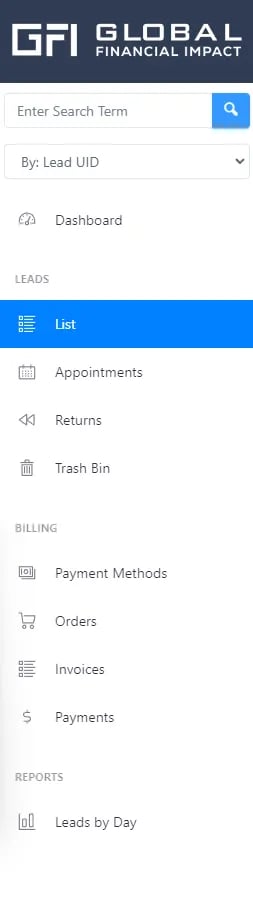
Go to the List section on the main page.
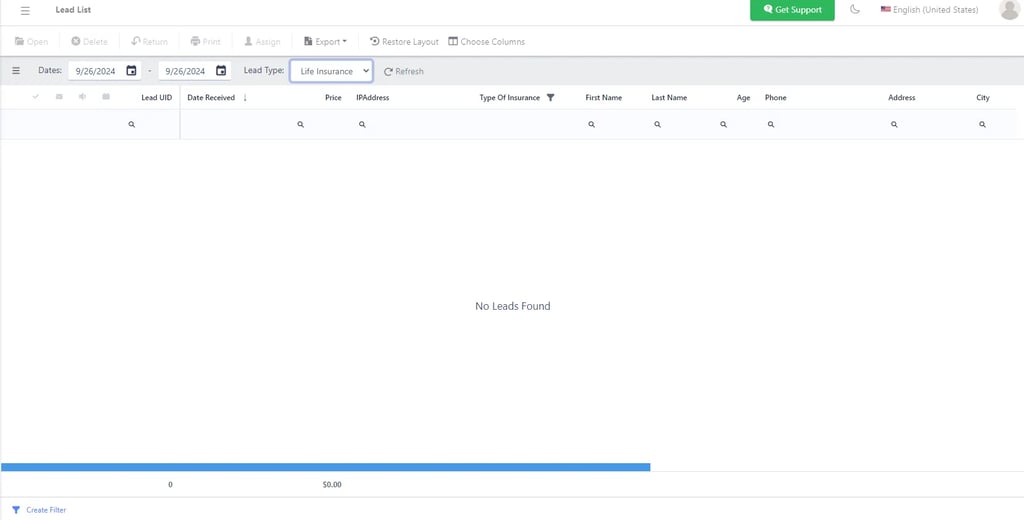
The Lead List screen allows you to view and manage all your leads efficiently.
View all of your leads in one place.
Search by date range, Lead Type (from the dropdown), or search across all Leads.
Sort your Leads by clicking on any column header.
Choose which columns you wish to see and drag-and-drop based on the arrangement that works best for you.
Use the Filter Builder to create a filter tailored to your needs through the different functions and criteria offered.
Click Open Lead to access detailed lead information.
How to Submit “Do Not Call” Requests for Ethos Leads
Introduction
This tutorial outlines the proper procedure for handling Do Not Call (DNC) requests from Ethos leads. When a prospect asks to be placed on a Do Not Call list, it's crucial to follow this process immediately to maintain compliance.
When to Submit a DNC Request
Submit a DNC request whenever an Ethos lead:
Explicitly asks not to be called again
Requests to be added to your Do Not Call list
States they don't want to receive any further communications
Uses phrases like "take me off your list" or "stop calling me"
DNC Submission Process
Step 1: Access the Form
Visit the official Ethos Do Not Call Request Form at:
Step 2: Complete Required Information
You'll need to provide:
Client Phone Number - Enter the 10-digit phone number with no spaces or special characters (Example: 5551234567)
Client Full Name - Enter the lead's complete name as it appears in your records (Example: John Smith)
Your Email - Provide your agent email address for confirmation purposes
Step 3: Submit the Form
Click the "Submit" button to complete the process. Keep a record of your submission for compliance purposes.
Important Notes
Timing: Submit DNC requests immediately after receiving them
Accuracy: Double-check all information before submitting to ensure the correct lead is added to the DNC list
Documentation: Make a note in your CRM that a DNC request was submitted and the date it was processed
Compliance: Do not contact the lead again after they've made a DNC request
How long does it take to receive the purchase leads?
When you purchase leads from the platform, delivery times vary based on the specific lead type you select:💡
Ethos Leads
Ethos leads are delivered through an automated daily API integration. Under normal circumstances, you can expect to receive these leads within 7-10 days of purchase. In most cases, if your order spans multiple states, you can receive your leads via the Ethos API within three business days.
If there are any technical issues with the API, our team will manually upload your leads during the weekend to ensure you still receive them promptly.💡
Real-Time Leads
All other lead types (Gold Life Insurance, Spanish Life Insurance, etc.) are delivered in real time. As soon as a prospect completes the form on the website, the lead is automatically sent to your account. These lead types will typically be delivered within a week. If your leads are taking longer to receive, it is likely because your order includes only one state. I think the best practice is to include multiple state licenses on your orders to ensure you receive your leads as soon as possible.
If you haven't included all of your state licenses in your order, please get in touch with us at support@justrates.co or by Direct Messaging Felipe on the GFI Leads Division channel in GroupMe.
Lead Notification
You'll receive notifications for all new leads via your preferred contact method (email, API, or your lead portal).
Frequently Asked Questions (FAQ)
How long does it take to get my leads?
Depending on the lead type, delivery times vary.
Ethos leads come in daily through an API integration. If there are API issues, we manually upload them every weekend. Typical delivery time for Ethos is less than 7 days.
All other lead types are delivered in real-time—you receive them instantly when prospects complete the website form.
Are the leads exclusive?
Yes, all leads are exclusive and fully TCPA compliant.
Can I integrate the leads portal with my CRM?
Yes, you are able to do this. Please email support@justrates.co and we will assist you with integrating your leads with your CRM.
What types of leads are available?
We offer various types of leads including:
Ethos Aged Leads: Leads from Ethos’ site that are older than 30 days
Ethos Fresh Leads: Leads from Ethos’ site that are under 30 days old
Gold - Life Insurance Leads: Leads from our high-intent life insurance site that are generated and sent to you in real-time. As soon as the customer sees the ad, they fill out their info on the website, verify their phone number, and are then delivered to you.
Spanish Life Insurance Leads: Leads from our website targeting spanish-speaking consumers. The leads are generated and sent to you in real-time. As soon as the customer sees the ad, they fill out their info on the website, verify their phone number, and are then delivered to you.
What information is included with each lead?
Each lead contains:
Full contact information
Insurance needs/preferences
Basic qualifying information
Lead source and timestamp
How do I purchase leads?
You can purchase leads through our online portal. Simply log in to your account, select your desired lead type and quantity, and complete the purchase process. Special promotions and bulk pricing are available periodically. Click the link below to learn how to use the lead portal:
What is the recommended follow-up process?
For best results:
Contact new leads within 5 minutes of receipt
Make at least 5 contact attempts
Use multiple contact methods (call, text, email)
Follow up during different times of day
Document all contact attempts

"Protect Today. Build For The Future"
CFI © All rights reserved.